
17 Beginner-Friendly Productivity Apps That Will Change Your Freelance Life
Starting a freelance career can feel overwhelming, especially when you’re trying to juggle multiple clients, deadlines, and projects without a team to back you up. The good news is that you don’t need to be a tech expert to get organized and productive. These beginner-friendly apps are designed with simplicity in mind, helping you manage your workload without a steep learning curve. Whether you’re brand new to freelancing or just looking for straightforward tools that actually work, this list will help you find the right apps to streamline your day and reclaim your time.
- Legiit
If you’re new to freelancing, finding clients can be one of the biggest challenges you’ll face. Legiit makes this process simpler by connecting freelancers with clients who need their services. The platform is straightforward to navigate, even if you’ve never used a freelance marketplace before. You can create a profile, list your services, and start getting hired without needing to understand complicated algorithms or marketing strategies. For beginners who want to focus on doing great work rather than hunting for their next gig, Legiit provides a user-friendly way to build your client base and grow your freelance business.
- Trello
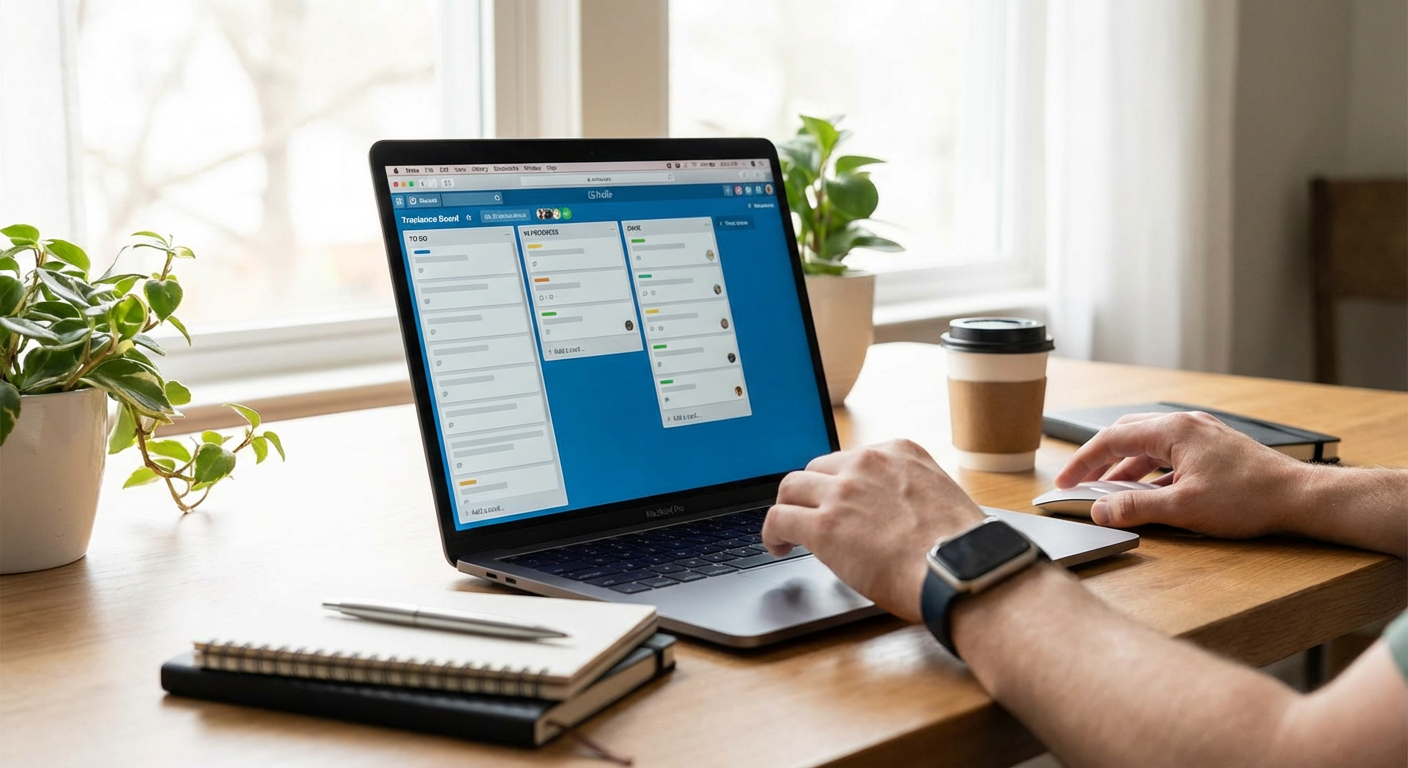
Trello uses a simple card-and-board system that makes project management visual and intuitive. You don’t need any special training to start organizing your tasks. Just create a board for each project, add cards for individual tasks, and move them across columns as you progress. The drag-and-drop interface feels natural, almost like moving sticky notes around on a physical board. For freelancers who get overwhelmed by complex project management software, Trello offers a gentle introduction that actually helps you stay on top of your work.
- Toggl Track
Time tracking doesn’t have to be complicated. Toggl Track lets you start and stop a timer with a single click, making it perfect for beginners who want to understand where their hours go. The interface is clean and uncluttered, showing you exactly what you need without burying features in endless menus. You can see your tracked time in simple reports that help you figure out which projects take the longest and whether you’re pricing your services correctly. For new freelancers still learning to manage their time, this app provides clarity without confusion.
- Google Calendar
Sometimes the best tools are the ones you already have access to. Google Calendar is free, works on every device, and requires almost no learning curve. You can schedule client meetings, set reminders for deadlines, and color-code different types of work to keep everything organized at a glance. The ability to share calendars with clients makes scheduling meetings painless. If you’re just starting out and don’t want to invest in expensive scheduling software, Google Calendar gives you everything you need to manage your time professionally.
- Grammarly
Clear communication is essential for freelancers, but not everyone is confident in their writing skills. Grammarly works in the background as you type, catching spelling mistakes, grammar errors, and awkward phrasing in real time. The free version covers the basics that most beginners need, and the suggestions appear right where you’re writing, whether that’s in an email, a document, or a message to a client. You don’t need to be a grammar expert or even know the rules. Grammarly simply helps you sound more professional without making you feel like you’re back in English class.
- Notion
Notion combines notes, tasks, databases, and wikis into one flexible workspace. While it offers advanced features for power users, beginners can start with simple templates that are ready to use right away. You can create a basic task list, keep client notes, or organize your project ideas without needing to understand how databases work. As you get more comfortable, you can gradually explore more features at your own pace. The interface is clean and modern, making it approachable even if you’re not particularly tech-savvy.
- Canva
Even if you have zero design experience, Canva makes it easy to create professional-looking graphics for your freelance business. The drag-and-drop editor is incredibly intuitive, and thousands of templates give you a head start on everything from social media posts to client presentations. You don’t need to learn Photoshop or understand design principles to make something that looks polished. For freelancers who need to create visual content but don’t have a design background, Canva removes the intimidation factor and lets you focus on your message.
- LastPass
Managing passwords for multiple client accounts, platforms, and tools can quickly become chaotic. LastPass stores all your passwords securely in one place and fills them in automatically when you need them. The setup process is simple, walking you through each step with clear instructions. You only need to remember one master password, and LastPass handles the rest. For beginners who are still figuring out their digital workflow, this app eliminates the stress of forgotten passwords and keeps your accounts secure without requiring technical knowledge.
- Slack
Email can feel formal and slow, especially when you need quick answers from clients or collaborators. Slack offers a more casual, instant messaging approach that’s easier to manage than an overflowing inbox. Channels keep conversations organized by project or topic, and the interface is straightforward enough that most people figure it out within minutes. You can share files, send quick messages, and keep all your communication in one searchable place. For freelancers new to client communication tools, Slack provides a comfortable middle ground between email and texting.
- Dropbox
File storage and sharing should be simple, and Dropbox delivers exactly that. Drag a file into your Dropbox folder, and it automatically syncs across all your devices. Sharing files with clients is as easy as sending them a link. The interface is clean and familiar, working just like the folders you’re already used to on your computer. You don’t need to understand cloud technology or worry about complicated settings. For beginners who just want their files accessible and backed up without hassle, Dropbox is reliable and easy to understand.
- Todoist
To-do lists are essential for freelancers, but they don’t need to be complicated. Todoist keeps things simple with a clean interface that lets you add tasks in seconds. You can organize tasks by project, set due dates, and mark them complete with a satisfying check. The natural language input means you can type something like “email client tomorrow at 2pm” and Todoist automatically sets the date and time. For people new to task management apps, this simplicity makes it easy to actually stick with the habit of tracking your work.
- Zoom
Video calls are a regular part of freelance life, and Zoom makes them straightforward. The interface is intuitive, with big, clear buttons for starting meetings, turning your camera on or off, and sharing your screen. Clients can join meetings without creating an account, which removes a common barrier. The free version includes everything most solo freelancers need for client meetings and quick check-ins. If you’re nervous about the technical side of video conferencing, Zoom’s simplicity helps you focus on the conversation rather than figuring out the software.
- Wave
Handling invoices and expenses can be intimidating when you’re new to freelancing. Wave offers free accounting software that’s designed for small businesses and freelancers, with an interface that doesn’t assume you have a finance background. Creating an invoice is as simple as filling out a form, and the app tracks payments automatically. You can also scan receipts and categorize expenses without learning complex accounting terminology. For beginners who need to look professional with their billing but don’t want to hire an accountant yet, Wave provides the basics in an accessible way.
- Forest
Staying focused is hard, especially when you work from home and your phone is always within reach. Forest turns focus time into a game. You plant a virtual tree and it grows while you work. If you leave the app to check social media or other distractions, your tree dies. The concept is simple and surprisingly effective. Over time, you build a forest that represents your productive hours. For freelancers who struggle with distraction but find traditional productivity techniques boring, Forest makes staying on task feel rewarding rather than restrictive.
- Calendly
The back-and-forth of scheduling meetings can waste surprising amounts of time. Calendly eliminates this by letting clients book time directly on your calendar based on your availability. You set the hours you’re free, share your Calendly link, and clients pick a time that works for them. The setup takes just a few minutes, and the interface walks you through each step clearly. For new freelancers who want to appear professional and organized without spending hours coordinating schedules, Calendly handles the logistics automatically.
- Evernote
Keeping track of ideas, research, and client information can quickly become messy. Evernote gives you a simple place to capture notes, clip web articles, and organize everything with tags and notebooks. The search function works well, helping you find what you need even if your organization system isn’t perfect. You can access your notes from any device, which means that idea you had on your phone is available when you sit down at your computer. For beginners building their freelance knowledge base, Evernote provides a forgiving system that grows with you.
- Loom
Sometimes explaining something over email takes forever, but a quick video can make everything clear. Loom lets you record your screen and your face with just a couple of clicks. You can walk clients through feedback, show them how to use something, or explain a concept visually. The video is automatically uploaded and you get a shareable link immediately. There’s no complicated editing or export process. For freelancers who aren’t comfortable on camera but need better ways to communicate complex ideas, Loom makes video explanations feel easy and natural.
You don’t need to be a productivity expert or a tech wizard to run a successful freelance business. These beginner-friendly apps give you the structure and support you need without overwhelming you with features you’ll never use. Start with one or two tools that address your biggest pain points, whether that’s finding clients, tracking time, or staying organized. As you get comfortable, you can add more apps to your toolkit. The goal isn’t to use every productivity app out there. It’s to find the simple, reliable tools that help you do your best work and enjoy your freelance life a little more each day.